

Is it safe to use ChatGPT and other AI chat apps?
Short answer: yes, for most everyday use of ChatGPT, Claude or Gemini, if you follow a few simple rules. The real risks aren't robots. They're oversharing, trusting a wrong answer, and scammers who use AI. Here's how to handle all three.
This page is about those official AI chat apps and what you type into them. It is not a review of other products or companies that happen to have “AI” in the name.
What happens to what you type
When you use ChatGPT, Claude or Gemini, your message travels to the company that runs the app, and their computers write the answer. So:
- Your chats are saved in your account history unless you delete them.
- They may be used to train future AI, unless you switch that off. On free and personal plans, it's usually on by default.
- A person at the company may review some chats, for example to check for abuse or when you send feedback.
- Share links are public. If you press "Share" on a chat, anyone with the link can read it. Some shared chats have even shown up in search results.
A good rule: type into an AI app only what you'd be fine with a stranger at a big company reading.
What never to type into AI
- Passwords and security codes, including the six-digit codes sent to your phone.
- Card, bank and tax numbers, or your Social Security number.
- Full health records with your name on them. Ask about a symptom or a word instead.
- Other people's private details: addresses, phone numbers, photos of their documents.
- Work secrets, or anything your job says to keep private.
You can still get help with a letter or bill. Just remove the private parts first. Write [my bank] or [account number] instead.
Three settings worth changing today
Each takes under a minute. Menus move around between updates, so if you can't find one, search the app's help pages for the setting name.
- ChatGPT: Settings, then Data controls. Turn off "Improve the model for everyone." Your chat history stays.
- Claude: Settings, then Privacy. Turn off "Help improve Claude."
- Gemini: Settings & help, then Activity. Turn off "Keep Activity." This also turns off some connected Google apps.
For one-off private questions, use the app's temporary or incognito chat. It isn't kept in your history, though the company may still hold it for a short time for safety checks. And note that pressing thumbs up or down can send that chat to the company even if training is off.
AI can be wrong, and sound sure
AI writes what sounds right, not what it has checked. It can invent a fact, a quote, a law or a phone number, in the same confident tone as everything else. It can also be out of date.
- Fine to trust lightly: drafting a message, explaining an idea, brainstorming, summarizing something you pasted in.
- Always double-check: health, medicine, money, legal questions, dates, prices and phone numbers. Use the AI to understand and to prepare questions, then check with a real source or a professional.
This prompt makes it tell you where it's shaky:
Answer my question, then tell me which parts you're less sure about and what I should double-check with a real source or a professional. My question: [your question]
Scams that use AI
The bigger danger often isn't the AI app. It's scammers using AI to sound more convincing.
- Fake voices. A call that sounds like a grandchild or boss asking for money urgently. Hang up and call them back on the number you already have. Some families agree on a code word.
- Perfect scam emails and texts. Good spelling no longer means it's real. Be suspicious of any message that rushes you to pay, click or share a code.
- Fake AI apps. Only download apps from the official app store, made by OpenAI, Anthropic, Google or Microsoft. Many copycats charge for what's free.
AI can actually help here. Paste a suspicious message, with your details removed, and ask:
I got this message and I'm not sure if it's real: [paste the message, with your personal details removed]. Point out any signs it might be a scam, tell me what a real company would normally do instead, and tell me the safest next step. Don't tell me to click any links in it.
Never click a link in a message you're unsure about, even to check it. Go to the company's website or app yourself.
A safe first thing to try
If you've been nervous to start, try something with no private details at all. This gets you used to how it feels:
I'm new to AI and a bit nervous. Explain in three short sentences what you can help me with day to day, and what I should never share with you. Then suggest one small, useful thing I could try right now.
Ready to use it for real?
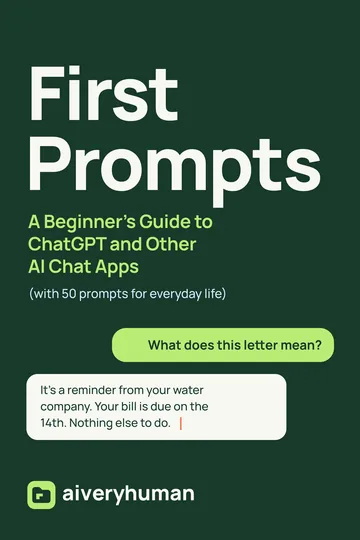
First Prompts is a 68-page plain-English beginner’s guide to ChatGPT and other AI chat apps, plus 50 prompts for everyday life. It includes five habits for asking well and a whole part on using AI safely, from privacy to scams.
Get First Prompts for $9.99Instant PDF download. All sales final. Look inside first.
Questions people ask
Is ChatGPT safe for seniors and beginners?
Yes, for everyday help like explaining a letter, writing a message or planning a trip. The rules are the same for everyone: don't share passwords or account numbers, check anything important, and be wary of anyone who rushes you to pay or share a code. Our gentle guide to ChatGPT for seniors walks through the first steps.
Can AI steal my information?
The app can only see what you type or upload. It can't reach into your bank or your email unless you connect it yourself. The main risk is sharing too much, so keep private details out of your chats.
Do AI companies read my chats?
Your chats are stored on their computers, and some may be reviewed by staff for safety or used to train future AI unless you turn that off. Treat it like email to a big company, not like a private diary.
Is the free version less safe than the paid one?
On personal plans, the privacy settings are mostly the same whether you pay or not. Work and business plans often have stricter protections by default. Either way, check the settings above.
One plain-English AI tip a week.
A short, free email with one useful thing to try in your AI app, and the occasional heads-up about a new scam. Unsubscribe any time.