

COMPARISON
ChatGPT vs Claude vs Gemini: which should a beginner try first?
All three are AI chat apps you talk to in plain words, and all three have a free version. For everyday jobs like explaining a letter or drafting an email, any of them will do well. Here's an honest look at the differences that matter to a beginner.
As of October 2026. Plan details below come from each company's own pricing page, checked on October 23, 2026: ChatGPT, Claude and Gemini. These apps change often, so check there before you pay for anything.
The short answer
- Not sure? Start with ChatGPT. It's the best-known name, so it's the easiest to get help with from friends and family, and most beginner guides (including ours) use it.
- Already live in Gmail and Google Drive? Try Gemini. You sign in with the Google account you already have.
- Mostly want help with writing, or reading long documents? Give Claude a try too. Some people prefer how it writes.
Honestly, the app matters less than how you ask. A clear prompt works in all three. You can't go far wrong with any of them.
Side by side
ChatGPT
- Made by
- OpenAI
- Where to find it
- chatgpt.com, or the ChatGPT app
- Free plan includes
- Everyday text chats, plus a limited amount of uploads, image creation and voice chats.
- Free limits
- Text chats are listed as unlimited, within fair-use rules. Other features are limited.
- A good fit if
- You want the best-known name, the most beginner guides to follow along with, or to talk out loud and make the odd quick picture.
Claude
- Made by
- Anthropic
- Where to find it
- claude.ai, or the Claude app
- Free plan includes
- Chat on web, desktop and phone, web search, memory across conversations, voice mode and creating files.
- Free limits
- Usage limits that reset on a rolling five-hour window.
- A good fit if
- You write a lot, or work with long letters and documents, and like picking up the same topic later.
Gemini
- Made by
- Where to find it
- gemini.google.com, or the Gemini app
- Free plan includes
- Image creation and editing, Deep Research, Gemini Live for spoken conversations, plus 15 GB of Google storage.
- Free limits
- Usage limits that refresh every five hours, up to a weekly limit.
- A good fit if
- You already use a Google account for email, photos and files, since that's how you sign in.
Free plan details summarized from each official pricing page as of October 23, 2026. Exact limits aren't published as fixed numbers and depend on how you use the app. "A good fit if" is our plain-English suggestion, not a ranking.
Try the same prompt in all three
The fairest test is your own. Open two or three of them in different browser tabs, paste the same prompt into each, and keep the one whose answer you like best.
I'm new to AI. Explain in plain English what [something you've been wondering about] is, using one everyday example. Keep it under 120 words, then suggest one follow-up question I could ask.
What's the same in all three
- They can be wrong. All three can state made-up facts confidently. Check anything important.
- Privacy rules are similar. Don't type passwords, codes, card or bank numbers, or other people's private details into any of them. Each has privacy and data settings worth a look. See Is it safe to use AI?
- Watch for copycats. Get the app from the maker named above, not a lookalike that charges for the free version.
- Prompts work everywhere. Everything on this site works in any of the three.
Ready to start? Follow How to use ChatGPT, step by step, then try 10 prompts for beginners.
Picked an app? Learn to use it well.
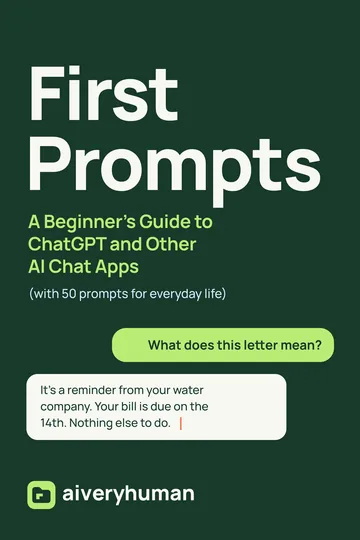
First Prompts is a 68-page plain-English beginner’s guide to ChatGPT and other AI chat apps, plus 50 prompts for everyday life. It works in ChatGPT, Claude and Gemini, free versions included.
Get First Prompts for $9.99Instant PDF download. All sales final. Look inside first.
Questions people ask
Which is best for beginners: ChatGPT, Claude or Gemini?
Any of them is fine for everyday tasks. If you can't decide, start with ChatGPT: it's the best known, and most beginner guides use it. Pick Gemini if you already use a Google account for everything. Try Claude if you mostly want writing help.
Are ChatGPT, Claude and Gemini free?
Yes. As of October 2026, all three have a free version, according to each company's own pricing page. Paid plans mostly add more use and extra features.
Do I need to pay to get good answers?
Not for everyday jobs like explaining letters, writing messages or planning. Try the free version for a few weeks first. Pay only if you keep hitting the limits.
Can I use more than one?
Yes, and it's a good way to compare. Paste the same prompt into two of them and keep the answer you like best. You don't need to pick one forever.
Which one is the most private?
There's no simple winner, and policies change. The safest habit is the same in all three: keep passwords, account numbers and other people's private details out, and look through each app's privacy settings.
One plain-English AI tip a week.
A short, free email with one useful prompt to try in whichever AI app you use. Unsubscribe any time.