

BEGINNER GUIDE
How to use ChatGPT, step by step.
Never used ChatGPT, or tried once and didn't get it? This page walks you through it in order: getting the real app, the free plan, your first five prompts, how to ask follow-ups, and the mistakes almost everyone makes at the start. Plan on about fifteen minutes.
Step 1: Get the real ChatGPT
ChatGPT is made by a company called OpenAI. There are a lot of copycats, so start in the right place.
- On a computer: type chatgpt.com into your browser's address bar.
- On a phone or tablet: open the App Store or Google Play, search for ChatGPT, and check that the maker is OpenAI before you install it.
If an app or website asks you to pay before you've typed anything, close it. The real ChatGPT has a free version.
Step 2: Make a free account
- Press Sign up.
- Use an email address you check, and a password you don't use anywhere else.
- Confirm your email if it asks you to, then log in.
An account keeps your past chats so you can come back to them. You don't need to enter a card to use the free version.
Step 3: Know what the free plan gives you
As of October 2026, OpenAI's pricing page says the free version is available to everyone and includes:
- Everyday text chats (OpenAI lists these as unlimited, within its fair-use rules).
- A limited amount of file and photo uploads, image creation and voice chats.
Paid plans mostly give you more of everything and newer features. For the prompts on this page, and for most beginners, free is plenty. Try it for a few weeks before you think about paying.
Step 4: Type your first message
Click the box at the bottom of the screen, type, and press Enter (or the arrow button). On the phone app you can tap the microphone and talk instead.
Write the way you'd talk to a helpful person. No special words needed. The more you tell it about your situation, the better the answer.
Your first 5 prompts
Press Copy, paste one into ChatGPT, and change the words in [brackets] to your own.
1. Ask it what it can do for you
I'm completely new to ChatGPT. I'm [a little about you: retired, a nurse, run a shop, a parent of teenagers]. Give me five simple, specific ways you could help me this week. Keep each one to a sentence.
2. Get something explained simply
Explain [a topic: how a 401(k) works, what inflation means, what the cloud is] like I'm a smart person who has never heard of it. Use one everyday example and keep it under 150 words.
3. Write a short message
Help me write a short text to [who] about [what]. I want to sound [friendly / polite but firm / warm]. Give me two versions to choose from.
4. Plan something
Help me plan [a birthday dinner for 8, a weekend in Chicago, a garage clear-out]. My budget is [amount] and I have [how much time]. Give me a simple step-by-step plan, then ask me anything you need to know to make it better.
5. Make a decision
I'm trying to decide between [option A] and [option B]. What matters most to me: [your priorities]. Lay out the pros and cons of each in a short table, then ask me two questions that would help me decide. Don't decide for me.
Step 5: Keep going with follow-ups
The first answer is a draft, not the final word. The best results come from replying, the same way you would in a conversation. Try one of these after any answer:
- "Shorter, please." or "Give me more detail on point 2."
- "Explain that more simply." It won't get impatient.
- "Make it sound more like me: casual, a bit funny."
- "What did you assume that might be wrong?"
- "Ask me questions first, then try again."
To start a fresh topic, press New chat so the old conversation doesn't mix in.
Mistakes to avoid
- Typing private details. No passwords, card or bank numbers, Social Security numbers or other people's private information. Write [account number] instead. See Is it safe to use AI?
- Trusting every fact. ChatGPT can sound sure and still be wrong. Check names, numbers, dates, quotes and anything medical, legal or money-related with a real source.
- Asking too vaguely. "Write an email" gets a bland email. Say who it's for, what happened and how you want to sound.
- Giving up after one answer. Tell it what's wrong and ask again. That's how it's meant to work.
- Using a copycat app. Check the maker is OpenAI.
Wondering whether to use ChatGPT, Claude or Gemini instead? Read ChatGPT vs Claude vs Gemini: which free AI to start with. For more prompts, see 10 ChatGPT prompts for beginners.
Want the whole thing, step by step?
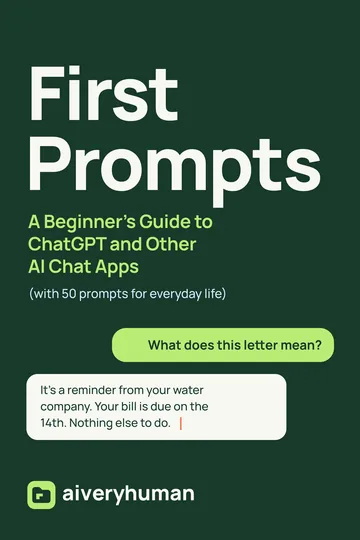
First Prompts is a 68-page plain-English beginner’s guide to ChatGPT and other AI chat apps, plus 50 prompts for everyday life. It covers setup, five habits for asking well, staying safe, and everyday walkthroughs.
Get First Prompts for $9.99Instant PDF download. All sales final. Look inside first.
Questions people ask
Is ChatGPT free to use?
Yes. As of October 2026, OpenAI says the free version is available to everyone. It includes everyday text chats and limited uploads, image creation and voice. Paid plans add more use and newer features.
Do I need to download anything?
No. On a computer you can use it in your web browser at chatgpt.com. On a phone, the official ChatGPT app by OpenAI is easier to use, but it's optional.
Can ChatGPT be wrong?
Yes. It can make up facts, numbers and sources while sounding confident. Use it for drafts, explanations and ideas, and check anything important against a trusted source.
Is it safe to use ChatGPT?
It's safe for everyday tasks if you keep private details out. Don't type passwords, codes, card or bank numbers, or other people's private information. Our guide Is it safe to use AI? covers the full list.
What should I ask ChatGPT first?
Start with something small and real from your week: explain a letter, draft a text you've been putting off, or plan a meal. The five prompts on this page are a good first try.
One plain-English AI tip a week.
A short, free email with one useful prompt to try, explained simply. Unsubscribe any time.