

SMALL BUSINESS
ChatGPT prompts for small business, ready to copy.
Twelve prompts for the writing jobs that eat an owner's evening: customer emails, review replies, job posts, social posts, price lists and quotes. Copy one, fill in the [brackets], and paste it into ChatGPT, Claude or Gemini. The free versions are fine.
How to get a good result
- Fill in every bracket. The more real detail you give (your town, your prices, how you talk), the less it sounds like a robot.
- Read before you send. AI drafts. You decide. Check every price, date and promise, because AI will happily make one up.
- Ask for changes in plain words. "Shorter." "Warmer." "Sound less salesy." It will redo it.
Customer emails
1. Reply to a customer who's upset
A customer sent me this message: [paste it, with their last name and contact details removed]. I run a [type of business]. Write a calm, friendly reply from me that says sorry for what went wrong, explains what I'll do about it: [what you can actually offer], and doesn't argue or make excuses. Keep it under 120 words.
2. Answer the question you get every week
Customers keep asking me: [the question, like "Do you do weekend appointments?"]. The honest answer is: [your answer]. Write a short, friendly reply I can save and reuse, plus a one-line version for text messages.
3. Tell customers about a change
I need to tell my customers about a change: [new hours, a price increase, closing for a holiday, a new address]. It starts on [date]. The reason, if I want to share it: [reason or "don't give a reason"]. Write a short, warm email and a shorter version for a sign on the door.
Reviews
4. Reply to a bad review without making it worse
A customer left this review of my [type of business]: [paste the review]. Here's what actually happened, for your background only: [your side, briefly]. Write a short public reply from the owner that stays polite, thanks them for the feedback, doesn't share private details, and invites them to contact me directly at [phone or email].
5. Ask happy customers for a review
Write a short, friendly message I can text or email to customers after a job, asking them to leave a review at [where, like Google]. My business is a [type of business]. Don't offer anything in return for the review, and don't pressure them. Give me two versions: one for regulars, one for first-time customers.
Hiring
6. Write a clear job post
Write a job post for a [role] at my [type of business] in [town]. The real day-to-day work: [list the tasks]. Pay: [range]. Hours: [hours]. What I need: [must-haves]. What makes us a decent place to work: [honest reasons]. Keep it short, plain and friendly, with the pay near the top.
7. Turn it into a short hiring post
Turn this job post into a short social media post that a friend could share: [paste your job post]. Keep the pay and hours in it, add how to apply: [how], and keep it under 60 words.
Social posts
8. A week of posts in ten minutes
I run a [type of business] in [town]. My customers are mostly [who they are]. Write five short social media posts for this week, one each about: a tip customers would find useful, something behind the scenes, a product or service I offer ([name it]), a question to ask my followers, and a reminder of my hours. Sound like a friendly local owner, not an ad.
9. Make a plain photo post better
I'm posting a photo of [what's in the photo] for my [type of business]. Write three short captions to choose from: one fun, one helpful, one simple. Under 30 words each. No hashtags unless I ask.
Menus, price lists and quotes
10. Rewrite a menu or price list so it's clear
Here is my current [menu, price list, list of services]: [paste it]. Rewrite the descriptions so they're short, clear and appealing. Keep every price exactly as I wrote it, don't add any items, and point out anything that might confuse a customer.
11. Turn rough notes into a quote
Turn my rough notes into a clear, professional quote I can send a customer. Customer first name: [name]. The job: [describe it]. My prices: [list each part and its price]. Payment terms: [terms]. The quote is good for [number] days. Lay it out simply and add a short, friendly opening line. Don't change any of my prices.
12. Explain a price without apologizing
A customer asked why my price for [service] is [price] when they found it cheaper elsewhere. What's included in my price: [list]. Write a short, confident, friendly reply that explains the value without putting down anyone else and without offering a discount.
What never to paste into AI
What you type goes to the company that runs the app. Keep it to first names and the facts the job needs.
- Card numbers, bank details and passwords, yours or a customer's.
- Customers' full names, addresses and phone numbers. Write [customer] instead.
- Employee records: pay, health notes, performance reviews, ID documents.
- Tax IDs and Social Security numbers.
- Anything under an NDA or a supplier deal you agreed to keep private.
More on this in Is it safe to use AI?
New to all of this? Start with AI for small business owners: 5 prompts to start with. It walks you through your first prompt step by step.
New to AI yourself?
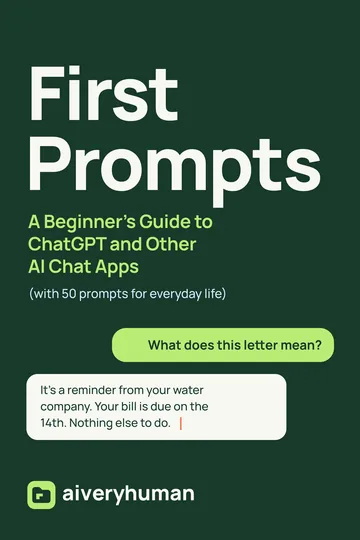
First Prompts is a 68-page plain-English beginner’s guide to AI chat apps, plus 50 prompts for everyday life. It’s a beginner’s guide, not a business book: it has a short section on work and getting organized, but not the customer-reply or review prompts on this page. Those stay free here.
Get First Prompts for $9.99Instant PDF download. All sales final. Look inside first.
Questions people ask
Which AI app should a small business use?
Any of the big three works for these prompts: ChatGPT, Claude or Gemini. Pick the one you find easiest and stick with it for a week. The free versions are enough to start.
Will customers be able to tell I used AI?
Sometimes, if you send the first draft as is. Fill in real details, cut anything that doesn't sound like you, and read it out loud before you send it. Then it's your message, written faster.
Is it OK to use AI to write review replies?
Yes, as long as you read and edit each one and it's true. Never use AI to write fake reviews of your own business, and don't offer customers anything in exchange for a review.
Can AI write my prices or quotes for me?
It can lay out a quote neatly, but the numbers must come from you. Always check every price and date before sending, because AI can change or invent figures.
One plain-English AI tip a week.
A short, free email with one useful prompt to try in your business, explained simply. Unsubscribe any time.