

PROMPTS FOR BEGINNERS
ChatGPT prompts for beginners, ready to copy.
A prompt is just the message you type to an AI. Most people's first one is too short, so the answer is vague and they give up. Here are ten that work the first time, for jobs you actually have. They work the same in Claude and Gemini.
How to use these
- Open ChatGPT, or any AI chat app. The free version is fine.
- Copy a prompt and swap everything in [square brackets] for your own details. The more real detail, the better the answer.
- Talk back. The first answer is a draft. Tell it what to change, like you would with a helpful friend.
What makes a good prompt
Every prompt below has the same four parts. Once you see them, you can write your own.
- Who you are and what's going on. "I'm 68 and new to this" or "I run a bakery" changes the answer a lot.
- The job. One clear thing: explain, write, plan, compare.
- The details. Paste the letter, the list, the email. AI can only use what you give it.
- What a good answer looks like. How long, what tone, what to leave out.
1. Understand a confusing bill or letter
Insurance letters, medical bills and tax notices are written so nobody reads them. AI is very good at plain English.
Explain this letter to me in plain English, like I've never seen one before: [paste the letter, with your name, address and account numbers removed]. Tell me: what it's about, whether I need to do anything, by when, and what happens if I don't. Then list any words I might not know, with a one-line meaning for each.
If a number or date matters, check it against the real letter. AI can misread.
2. Write a message you've been putting off
An apology, a no, a tricky text to family. AI is good at getting the first draft out of your head.
Help me write a message to my [who: friend, sister, landlord, neighbor]. What happened: [two or three lines]. What I want them to know: [the main point]. I want to sound [kind but firm / warm / calm]. Keep it short, like a real text, not a speech. Give me two versions so I can pick.
Too stiff? Reply: "Make it sound more like me. I'm casual and I use short sentences."
3. Make dinner from what you already have
Saves a trip to the store and the "what's for dinner" argument.
I have these ingredients at home: [list them]. I have about [number] minutes and [a stove, an oven, a microwave]. Suggest three simple dinners I can make mostly from what I have. For each, give the steps in plain words, and list anything small I'd need to buy. [Add any allergies or foods we don't eat.]
Like one? Ask: "Make that one for 4 people and give me a shopping list."
4. Reply to an email at work
Good for the ones that sit in your inbox because you don't know how to start.
Help me reply to this email: [paste the email]. What I want to say: [your answer in a few rough words, like "yes but not until Friday"]. Keep it polite, clear and under 120 words. Match their tone. Don't add anything I didn't say.
Check your workplace rules before pasting work emails into an AI app. Some don't allow it.
5. Sum up something long
A long article, a terms page, a school newsletter. Get the point in a minute.
Sum this up for me in five short bullet points, in plain English: [paste the text]. Then tell me the one thing I most need to know or do, if there is one.
Ask "What did you leave out?" if a summary seems too neat.
6. Explain anything like I'm new
There are no stupid questions here. It never gets tired of explaining.
Explain [the thing: inflation, how a pension works, what the cloud is] to me like I'm a smart person who has never heard of it. Use an everyday example. Keep it short, then ask me one question to check I understood.
Still lost? Type: "Explain it a different way, with a different example."
7. Get ready for a hard phone call
Calling the bank, a phone company or a doctor's office is easier with a plan.
I need to call [who] about [the problem, in a few lines]. What I want to happen: [refund, fix, appointment, answer]. Give me: a two-sentence opening to say, the three things I should ask, what they might say back and how I can answer, and what to write down during the call.
Never read out passwords or full card numbers just because a script says to. Real companies tell you which details they need.
8. Compare two choices
Phone plans, two job offers, two quotes. Get the trade-offs laid out.
Help me choose between [option A] and [option B]. Here are the details of each: [paste prices, terms, what's included]. What matters most to me: [cost, flexibility, quality, time]. Lay out the main differences in a simple table, tell me which one fits what I said matters most and why, and point out anything I should double-check before I decide.
AI may not know today's prices. Always check the numbers on the real offer.
9. Plan a busy day or a trip
Turn a jumble of plans into something you can follow.
Help me plan [Saturday / a three-day trip to (place)]. Here's what I need to fit in: [list]. Fixed times: [anything that can't move]. I like [a relaxed pace / getting a lot done]. Give me a simple plan with times, and tell me if I'm trying to fit in too much.
Opening hours and travel times can be out of date. Check the important ones.
10. Learn something new, one step at a time
Use it like a patient tutor, for a hobby, a language or a skill for work.
I want to learn [the skill] and I'm a complete beginner. I have about [number] minutes a day. Give me a simple plan for the first week, one small step per day. Start today's lesson now: teach me the first step, then give me a tiny exercise and wait for my answer.
Answer its exercise in the chat. It will correct you and move on.
When the answer isn't right, type one of these
You don't start over. You reply in the same chat. These short follow-ups fix most bad answers:
- "Shorter." or "Give me more detail on point 2."
- "Simpler words, please."
- "Less formal. More like a text to a friend."
- "That's wrong: [the right fact]. Fix it."
- "Ask me questions first, then try again." Good when it keeps guessing.
- "What are you unsure about in that answer?" Good for anything that matters.
Three safety rules
- Never paste passwords, card or bank numbers, or ID numbers. No prompt needs them.
- Check facts that matter. AI can sound sure and still be wrong, especially about health, money, law, dates and prices.
- Take out names and account details before you paste a letter or document. "[my bank]" works just as well.
More on this in Is it safe to use AI?
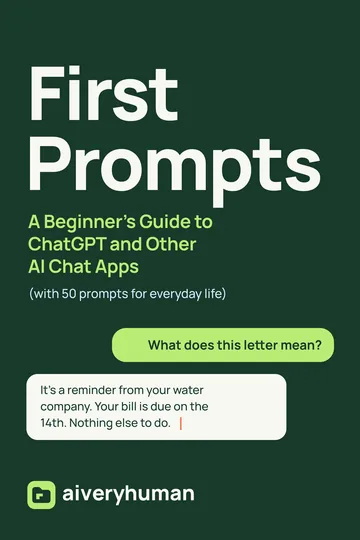
Want the guide behind prompts like these?
First Prompts is a 68-page plain-English beginner’s guide to ChatGPT and other AI chat apps, plus 50 prompts for everyday life. It shows you how to ask well and how to fix an answer that isn’t right, then gives you 50 prompts to fill in.
Get First Prompts for $9.99Instant PDF download. All sales final. Look inside first.
Questions people ask
Is ChatGPT free to use?
Yes. ChatGPT, Claude and Gemini all have free versions, and every prompt on this page works on them. Paid plans give you more use per day and some extra features, but you don't need one to start.
Do these prompts work in Claude and Gemini too?
Yes. They're written in plain English, not in any special format, so they work in any AI chat app. The answers will differ a little from app to app.
Why use a long prompt instead of a short question?
A short question gets a general answer. Giving the AI your situation, the details and what a good answer looks like gets you something you can actually use, often on the first try.
Can AI be wrong?
Yes. It can mix up facts, invent details or be out of date, while sounding confident. Use it for drafts, explanations and ideas, and check anything important yourself.
One plain-English AI tip a week.
A short, free email with one new thing to try in your AI app. Written for beginners. Unsubscribe any time.